Featured

Analog Electronics Lab #1

Part 1. Breadboards are what connect each component of your circuit. They are divided into 4 separate vertical sections, and the middle 2 sections are also divided by rows. The outer 2 sections are divided by negative on the left side and positive on the right side.

Part 2.

Part 3.

Multimeters are devices that can measure a variety of things on a circuit. You can switch it to a setting that measures current, or resistance, or voltage between two points. This is great for trouble shooting because if your circuit isn’t working and you cannot figure out why, you can measure certain areas to figure out if the current is flowing or not.

Part 5.

The first Final Project video that I watched was by Paul Odenwalt. He made a guitar pedal that effects the tremolo of the guitar from clean to distorted. You can change the amount of oscillation and the type of wave (sine or square). It sounded really cool, I really loved the difference between the sine and square sounds. The second video that I watched was by Quin Scacheri. He built a Noise Gate, which removes unwanted noise from a signal chain. It adjusts the threshold of how long or short the cutoff is on the instrument. The third video I watched was by Julian Vanasse. He built what he called a kinetic spring reverb noisemaker. It feeds a signal into the device and using a speaker, a spring and a contact microphone it generates reverb. The reverb sounded really cool and interesting as it changed throughout the video.

ANalog Electronics Lab 13

  1. I really liked Margaret Sohn’s project. It seemed like a simple concept at first, but then the lights changed colors and I really liked that addition. I think this project was really fun to make and write a song for. Another one I liked was by Ethan Bailey, who created a little machine that played the glockenspiel when you would sing into microphone while pressing a button. The pitch you sing would be the pitch played on the instrument. It seemed really funny and a creative idea, but also looked like it was a little difficult to do. The last one that I really liked was by Jordan Bombi who created a pair of gloves that controlled sounds. This is by far my favorite, the concept and execution are just super cool and a little creepy. I would love to see a performance with these.
  2. I loved this one, where you would touch a plant and it would “sing”. It uses the concept that when 2 conductive objects touch the capacitance between the objects changes, then it converts the capacitance into sound. One non-music project that was cool was this one, which buzzes when you are less than 6 feet away from humans which is really funny and I think handy for the times.
  3. Digital, digital, digital
  4. The programming I’ve done is at NYU, one Intro class that used python, and an AI class that also used python.

Analog Lab 11

1a. I love the T-Rex replicator tape echo pedal, not only for the really cool design but for how clear and beautiful the tape delay sounds. I also really liked the JAM Retrovibe pedal that gives a really cool vibrato to the sound and makes it feel like it’s from the 60’s. The last one that caught my eye was the Ghosty. Modulation pedal, which has a really cool lo-fi souring effect that makes the guitar just a little muted and also gives it a little vibrato.

1b. I feel like the smaller companies make pedals that not only produce cool effect, but also look really cool on the outside. The bigger companies are definitely super reliable and popular with a larger amount of people because they’re coming from sucha reputable source.

1c. I definitely think that the T-Rex replicator tape echo pedal is way different than anything I have seen. It incorporates an actual cassette tape in its design which makes it look really cool and gives the sound of the plugged in instrument a delay that can’t really be replicated.

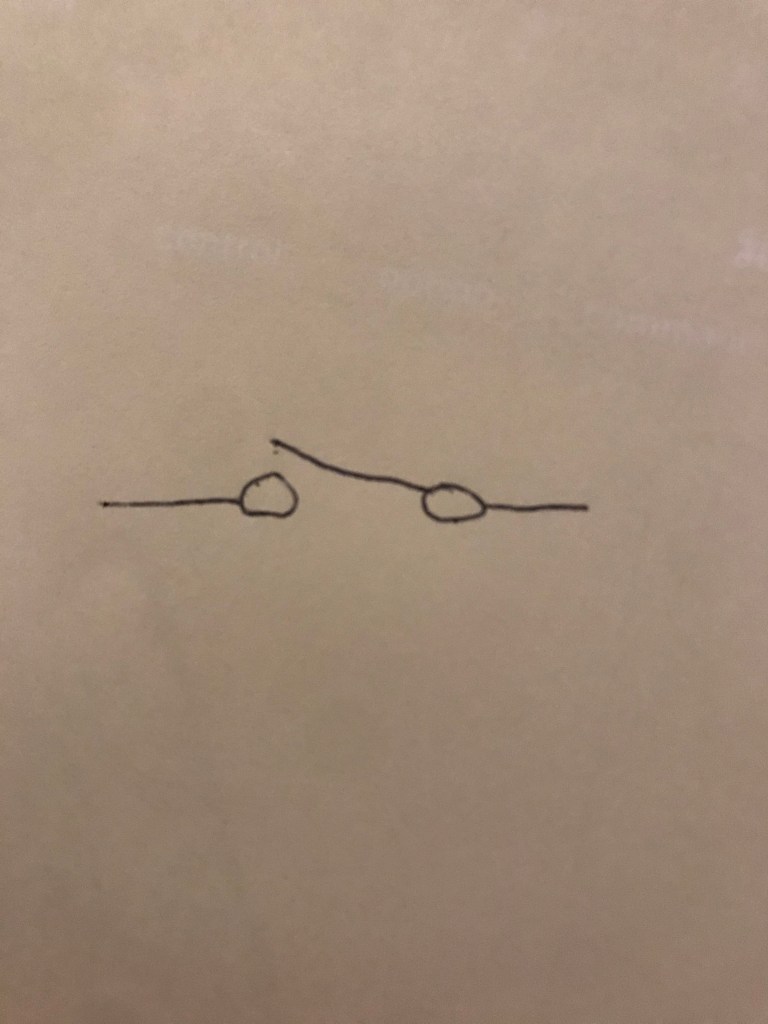
2. This switch is used to switch between one “single” pathway.

3. The momentary button will stay pressed down and connect the circuit only when you press it and will disconnect the circuit when you let go, and the latching button will connect the circuit when you press it and let go, and you need to press it a second time to disconnect the circuit.

Analog Electronics Lab #4

Part 4) You increase the resistance so it cancels out a higher number of frequencies.

Part 5a) I think that I could make a revert guitar pedal. I personally don’t play guitar, but based off of the videos of previous projects I watched, I feel like I could make one and it would be fun to make.

Part 5b) I feel like building a monophonic synth would be more difficult but also very interesting to build.

Part 5c) I really love the Role Seaboard. I own one and it’s really cool to play around with, and I’m curious as to what’s inside making it work.

Analog Electronics Lab #5

  1. Adding a resistor and capacitor to this circuit is good because it protects the audio jack and audio system in your device from getting fried.
  2. The differences between the inverting and non-inverting amplifiers on the oscilloscope is that the inverting amplifier shows a wave that’s inverted and that goes to 0 when turned all the way down on the potentiometer.

Analog Electronics Lab #4

Using the oscilloscope:

  • The input modes for bot channel 1 and 2: this receives the sound, can be set to ground so you don’t get anything through, just channel 1, just channel 2, or bot channel 1 and 2
  • Volt/Div. knob: lets you zoom in and out across the y axis by changing how many volts are shown by each vertical line
  • AC, GND, DC switch: let’s you switch to either Ac, Ground or DC audio
  • Vertical Position knob: lets you move up and down in the vertical direction
  • Time/Div. knob: lets you zoom in and out across the x axis by changing how much time is shown by each horizontal line
  • Trig level knob: lets you stabilize the waveform, can do tis to just channel 1, just channel 2, both channels using the trigger source switch

The circuit components:

Oscilloscope photo and videos:

Analog Electronics Lab #3

Part 1a) Before you touch the soldering iron to what you’re about to solder, you must to a few things. Turn it on to 350 degrees and wait for it to warm up in the holder. Make sure to have a wet sponge nearby to clean off you soldering iron with when it gets dirty, and clean it off before you start to use it.

Part 1b) Before you step away from the soldering iron, make sure it’s turned off and left in the holder. Make sure that your sponge is wet or damp for the next person. The wire should be left nearby and made neat for the next person.

Part 2a) You should always check where the red wire is plugged into on the multimeter because the position changes depending on what you are measuring.

Part 2b and Part 3)

Design a site like this with WordPress.com
Get started
